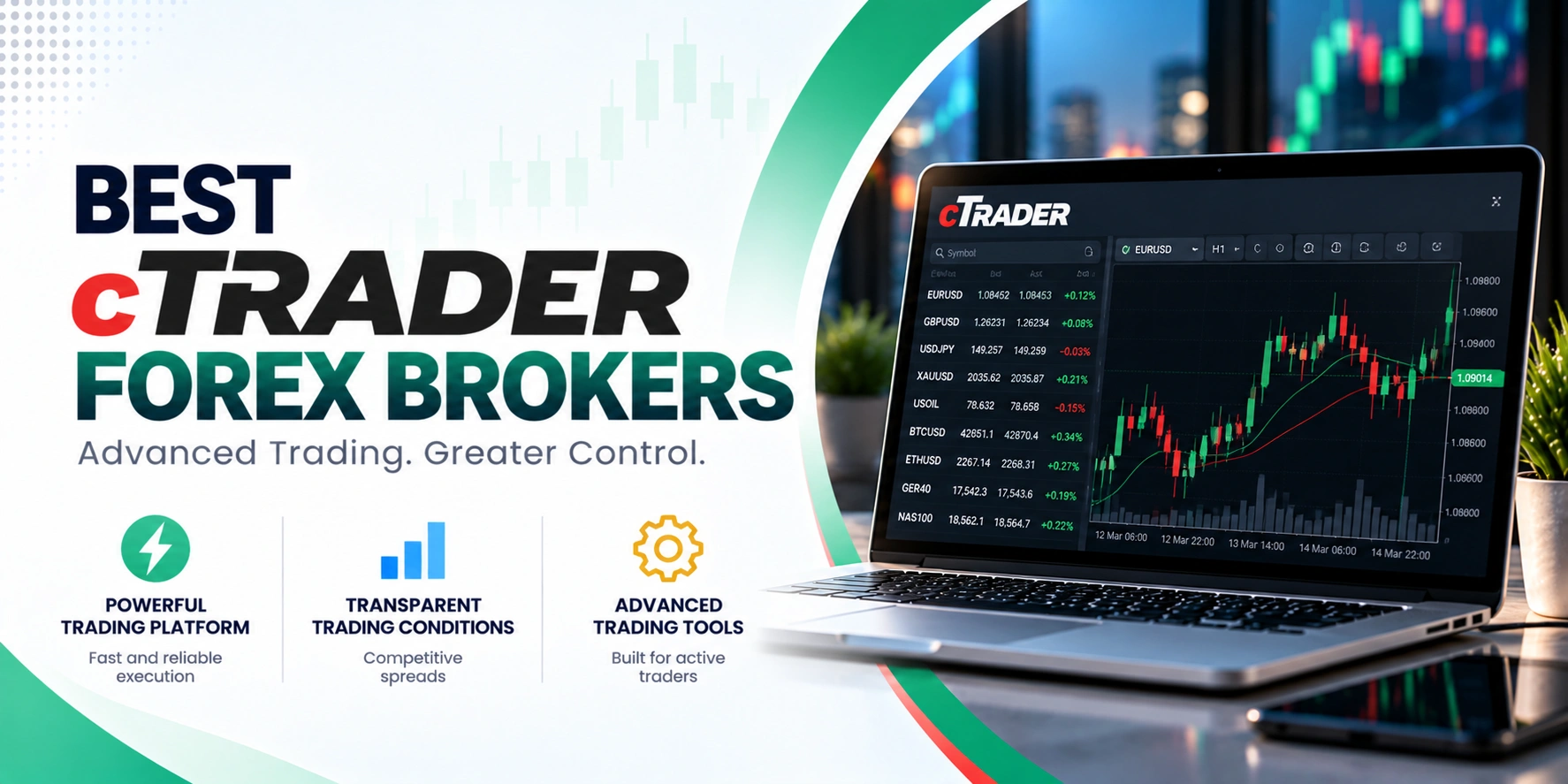
cTrader Forex brokers are firms that offer the cTrader electronic trading platform to their clients for trading Contracts for Difference (CFDs) and currency pairs. This platform is developed by Spotware Systems and is known for its transparent ECN/STP execution model, providing traders with advanced charting, automated trading, and copy trading capabilities.
| Feature |
 Pepperstone Pepperstone
|
 FP Markets FP Markets
|
 BlackBull Markets BlackBull Markets
|
 Axiory Axiory
|
|---|---|---|---|---|
| Regulators | ASIC, FCA, CySEC, BaFin, DFSA, CMA, SCB | ASIC · CySEC · FSCA · CMA · FSA Seychelles | FMA · FSA | FSC · CySEC |
| Founded | 2010 | 2005 | 2014 | 2011 |
| Execution | ECN | ECN, DMA | ECN, STP, NDD | Market Execution |
| Min Deposit | $0 | $100 | $0 | $10 |
| EUR/USD Spread | 0.0 pips | 0.19 pips | 0.0 pips | 1.2 pips |
| GBP/USD Spread | 0.0 pips | 1.51 pips | 0.0 pips | 0 pips + $7 commission |
| Gold Fee | 0.08 pips | $0.13 to $0.16 pips | 0.12 pips | Lowest spreads + $7 commission |
| Platforms | MT4, MT5, cTrader, TradingView, CopyTrading | MT4, MT5, cTrader, Iress | MT4, MT5, cTrader, TradingView, CopyTrading | MT4, MT5, cTrader, Axiory App |
| Open Account Read review | Open Account Read review | Open Account Read review | Open Account Read review |
If you’re looking for a trading platform that prioritizes transparent execution and offers advanced tools, cTrader is a solid choice. It’s built with a “Traders First™” philosophy, giving you direct access to market depth and a suite of features for both manual and automated trading. This guide covers what cTrader offers and how to pick a broker that supports it.
Before you open an account, it’s smart to check a few things. Make sure the broker’s trading conditions, like spreads and commissions, align with your strategy. Also, confirm they offer the specific asset classes you want to trade and that their customer support is responsive. A reliable broker makes a big difference in your trading experience.

zForex operates under the regulation of the Mwali International Services Authority (MISA) in Saint Vincent and the Grenadines. This is a Tier 3 offshore regulator, which generally provides less stringent oversight and fewer client protections compared to Tier 1 authorities. Our research did not confirm…
IC Markets Global operates under Raw Trading Ltd, regulated by the Seychelles Financial Services Authority (FSA). This is considered a Tier-3 offshore regulation, offering a less stringent oversight environment compared to Tier-1 regulators. While the broker’s official site confirms its license, specific client protections like…

LiteFinance operates under financial services licenses from the Financial Services Commission and Vanuatu Financial Services Commission, placing it in the tier-3 regulatory category. While the broker has maintained operations since 2005 and implements standard client protections including fund segregation, tier-3 regulators offer fewer safeguards than…
Saxo operates under tier-2 regulatory oversight from the Monetary Authority of Singapore (MAS), which is a respected financial regulator that enforces strict capital adequacy and conduct standards. Client funds are segregated from company reserves, and the broker maintains compliance with anti-money laundering and know-your-customer requirements.…

Fusion Markets operates under several regulatory bodies, including ASIC in Australia and CySEC in Cyprus, alongside offshore licenses from VFSC and FSA. This multi-jurisdictional approach provides varying levels of client protection depending on the entity. While ASIC and CySEC are Tier-1 regulators, the CySEC register…
FxPro operates under a multi-regulatory framework, holding licenses from several reputable financial authorities. This diverse regulatory oversight offers varying levels of client protection depending on the entity you trade with. Client funds are segregated, and negative balance protection is in place for all clients, enhancing…
OctaFX operates under multiple licenses including CySEC in Cyprus and FSC in St Vincent and the Grenadines. The CySEC entity provides tier-1 European regulation with client fund segregation and investor protections, while other entities operate under tier-3 offshore frameworks. The broker has been active since…
TradingMoon operates under the regulation of the Seychelles Financial Services Authority (FSA), holding a license for its entity TM Trading Limited. This is a Tier-3 offshore regulation, which offers some oversight but typically less stringent protections compared to Tier-1 authorities. The broker does segregate client…
cTrader is an electronic trading platform developed by Spotware Systems, a company based in Limassol, Cyprus. It’s designed to give traders access to Contracts for Difference (CFDs) and various currency pairs with transparent ECN/STP execution. This means you’re typically getting direct market access and competitive pricing.
You can use cTrader to trade a wide range of assets, including Forex, CFDs, metals, oil, indices, stocks, and ETFs. It supports different account types like Hedging and Netting, and Shariah-compliant (swap-free) accounts are also available, depending on the broker. It’s a versatile platform that caters to different trading styles and preferences.
cTrader comes with advanced charting and analysis tools. You’ll find various chart types, including Bar, Candlestick, Line, Dots, HLC, Tick, and Renko. You can view up to 28 charts simultaneously and customize them extensively, changing background and candle colors, grid lines, and price scale options like logarithmic or arithmetic. The platform also lets you save chart templates and layouts.
For technical analysis, cTrader provides a comprehensive set of drawing tools. These include trend lines, horizontal and vertical lines, channels, Fibonacci tools, Elliott Wave markup, Gann tools, shapes, and text annotations. This range of tools helps you conduct in-depth market analysis directly on the charts.
The platform offers 28 timeframes, giving you plenty of options for analyzing market movements across different periods. These include standard fixed time intervals, tick-based periods (specified number of price changes), and Renko bricks. This flexibility is useful for both short-term and long-term strategies.
You’ll also find over 70 built-in indicators, grouped into categories like trend, oscillators, volatility, and volume. If you need something specific, you can develop custom indicators. This extensive library, combined with the flexible timeframes, supports a wide array of technical analysis approaches.
cTrader supports automated trading through cTrader Algo, which uses cBots. These are trading bots or automated programs that you can customize to perform various trading operations. They can analyze market conditions, execute trades, and manage risk according to rules you define. You can develop cBots using C# or Python, which are mainstream programming languages.
The platform includes powerful backtesting and optimization tools, letting you test your automated strategies against historical data. cTrader CLI also enables AI-powered algo trading through natural-language commands, which can simplify the development process for some traders.
If you’re interested in following other traders, cTrader offers copy trading through cTrader Copy. This feature allows you to replicate the trades of successful strategy providers, which can be a way to diversify your trading or learn from experienced traders.
cTrader is accessible across multiple devices. cTrader Mobile is available for both iOS and Android, providing charting and trading features similar to the desktop version. This means you can monitor your trades and manage your account while you’re on the go.
There’s also cTrader Web, a fully functional web version that you can access through any modern browser like Chrome, Firefox, Safari, or Microsoft Edge. It offers the same core features, including Level II Pricing and one-click trading, without needing to download any software.
When you compare cTrader to platforms like MetaTrader, you’ll notice some key distinctions. cTrader provides Level II pricing, also known as Depth of Market, which lets you see the available liquidity at each price level. This is a feature MetaTrader typically doesn’t offer, as it usually shows a single quote.
For automated trading, cTrader Automate uses C# or Python for building cBots and custom indicators. C# is a widely used programming language, which can be an advantage for developers. cTrader also has a modern, uncluttered interface with detachable charts and a polished design. While MetaTrader 4 and 5 have broader broker support and a larger existing library of third-party indicators and Expert Advisors, cTrader often appeals to traders looking for a more contemporary feel and direct market access features.
Risk warning: Trading forex and CFDs carries a high level of risk and may not be suitable for every investor. You can lose some or all of your capital. This page is general information, not investment advice. Check a broker’s licence on the official register and read its terms before you open an account.
cTrader is an electronic trading platform developed by Spotware Systems, based in Limassol, Cyprus. It provides access to trading Contracts for Difference (CFDs) and currency pairs, designed with a “Traders First™” philosophy for transparent ECN/STP execution.
On cTrader, you can trade a range of asset classes. These include Forex, CFDs, metals, oil, indices, stocks, and ETFs. This variety allows traders to diversify their portfolios across different markets.
Yes, cTrader supports automated trading through cTrader Algo, which uses cBots. These trading bots can be customized to analyze markets, execute trades, and manage risk based on your defined rules, and can be developed using C# or Python.
Absolutely. cTrader Mobile is available for both iOS and Android devices. It offers charting and trading features that are similar to its desktop versions, letting you manage your trades on the go.
cTrader offers Level II pricing, showing available liquidity at each price, which MetaTrader typically doesn’t. cTrader Automate uses C# or Python, and the platform has a modern, uncluttered interface. MetaTrader, however, has wider broker support and a larger third-party indicator library.
You can open a demo account directly through a cTrader broker to practice trading in a risk-free environment. Demo accounts use virtual funds, allowing you to explore platform functions, build strategies, and learn cTrader’s features without financial commitment.
cTrader provides several standard order types for managing your trades. You can use Market, Limit, Stop, and Stop-Limit orders. These options give you flexibility in how you enter and exit positions based on market conditions.
Trading with any broker, including those offering cTrader, involves market risk, where prices can move against your position. Leverage can amplify both gains and losses. It’s crucial to understand these risks and use appropriate risk management strategies.